How to Turn a Song Into Short Lyric Clips for TikTok, Reels and Shorts
Pick the right 15–45 seconds of a song, add an opening caption, frame it vertically and post a series of lyric clips that send listeners to the full song.
By the LyricFlow team·· 3 min read
A full lyric video belongs on YouTube. But most people discover new music in short vertical clips on TikTok, Instagram Reels and YouTube Shorts, and a three-minute song is rarely the right thing to post there. What works is a short lyric clip: the best 15 to 45 seconds of the song, with the words on screen, framed for a phone.
This guide covers how to pick the moment, how to make the clip, and how to turn one song into a week of posts.
Why lyric clips work on short-video platforms
- People watch with the sound off, at least at first. Lyrics on screen give them a reason to turn it on.
- Lyrics make a song shareable. A line that hits home gets sent to a friend or used as a caption.
- They teach the hook. Viewers who've read the chorus a few times are more likely to recognize it, search for it and sing it.
Step 1: Pick the right moment
The best clip is usually the most quotable 15–45 seconds of the song. Good candidates, roughly in order:
- The chorus or hook, especially the first time it lands. It's the part people will remember.
- The pre-chorus into the chorus. The build-up creates anticipation, and the drop pays it off, which keeps people watching to the end.
- The most quotable line, even if it's in a verse: a lyric people would put in a caption.
- The bridge or final chorus, for fans who already know the song.
Start the clip right before the moment, not seconds earlier. On these platforms, the first second decides whether someone keeps watching.
Step 2: Add an opening caption
A short line of text at the very start of the clip tells viewers why they should keep watching. Keep it under about eight words, and make it about the viewer or the feeling, not about you:
- "POV: you finally said it out loud"
- "The song for your 3 a.m. drive"
- "Wait for the chorus"
- "Upload the song. Paste the lyrics. Done." (for a behind-the-scenes clip)
The caption should disappear after a second or two so it doesn't compete with the lyrics.
Step 3: Frame it for a phone
Export the clip in 9:16 (1080×1920). Keep the lyrics above the middle of the screen and out of the bottom fifth, where each app puts its captions and buttons. Long lines wrap in a narrow frame, so check the longest line of your clip. Our guide to lyric video sizes has the safe zones for each platform.
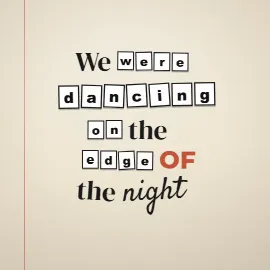
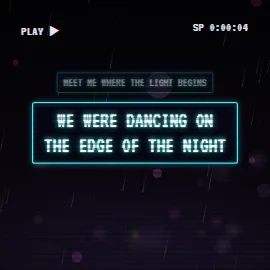
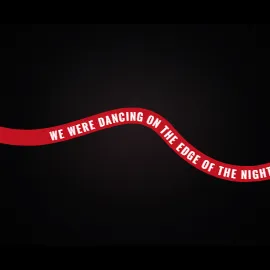
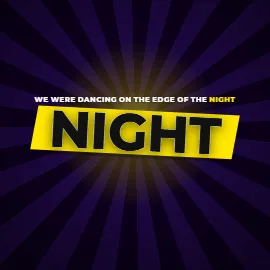
Big, bold styles read best on a phone. Kinetic styles, where words land one at a time on the beat, are made for this format:
Step 4: Make several clips from one song
One song can fill a week of posts. Make three to five clips from different sections and in different styles, then post them a day or two apart:
- Day 1: the chorus, in your main style.
- Day 3: the pre-chorus into the chorus, with an opening caption.
- Day 5: the most quotable verse line.
- Day 7: the final chorus, in a different style, for people who've heard it before.
Watch which clip keeps people watching longest, and make more like it.
In LyricFlow, you sync the song once and mark several hooks on it, each with its own start and end, style, format and opening caption. Section labels like [Chorus] in your lyrics help find them. Each hook is exported as its own clip, and Pro exports a whole batch of hooks in one go. On the Free plan, short clips count toward the 6 you can export each month.
Step 5: Point to the full song
Short clips are the trailer; the full song is the destination.
- On YouTube Shorts, link the Short to the full lyric video.
- On TikTok and Reels, put the link in your bio and say "full song on YouTube" or "out now everywhere" in the caption.
- Keep the title and artist in the caption, so people can search for the song.
Mind the rights
Short clips of commercial songs are still uses of those songs, and platform rules differ for personal and business accounts. If the song isn't yours, read lyric videos and copyright before posting.