How to Make a Lyric Video Without Video Editing Skills
A practical walkthrough for musicians: prepare the song and lyrics, sync them, pick a style that fits the music, export the right format and publish it well.
By the LyricFlow team·· 4 min read
A lyric video is often the first video a song gets. It's cheaper and faster than a music video, it helps listeners learn the words, and on YouTube it gives your song a proper home while the bigger visuals are still in progress. For many independent artists, it's also the video that gets the most views.
The traditional way to make one is in a video editor: place every line on a timeline, line it up with the audio, animate it, render, notice a typo, start over. This guide shows a faster path that needs no editing experience, and the decisions that make a lyric video look professional.
Step 1: Get the audio right
Start from the final master, not a rough mix or a version ripped from a streaming service. You'll be living with this video for years, and listeners notice when the audio is thin.
Make sure you have the rights to use the recording. If it's your own song, that usually means you, your label or your distributor. If it's someone else's song, read lyric videos and copyright before you go further.
Step 2: Prepare the lyrics
Copy the lyrics from your own lyric sheet rather than a lyrics website, which may have mistakes or a different version. Then:
- One sung phrase per line. Break long lines where the singer breathes.
- Write every repeat in full. If the chorus is sung three times, it appears three times.
- Label the sections with
[Verse 1],[Chorus]and so on, on their own lines. - Mark instrumental breaks with a line containing only
♪.
Our guide on formatting lyrics for syncing goes into detail, including duets and ad-libs.
Step 3: Sync the lyrics to the song
This is the step that used to take hours. In LyricFlow, upload the song, paste the lyrics and press auto-sync: it listens to the audio and times every line, usually within a few minutes, and flags the lines it is less sure about. Review those, fix anything with a tap, and you're done. If you'd rather time it yourself, tap-to-sync lets you press a key as each line starts.
For the techniques behind good timing, see how to sync lyrics to a song.
Step 4: Choose a style that fits the song
The style does most of the emotional work, so match it to the music, not just to what looks cool:
- Ballads and acoustic songs: calm typography, soft backgrounds, slow fades. Let the words breathe.
- Pop and dance: bold type, bright color, motion on the beat.
- Rock, punk and alternative: grain, texture, torn paper, glitch.
- Hip-hop and rap: big, punchy words that keep up with fast lines.
- Groups and duets: color-coded lyrics, so viewers know who is singing.
LyricFlow has 83 styles, 15 of them on the Free plan, from clean subtitles to kinetic typography. A few examples:
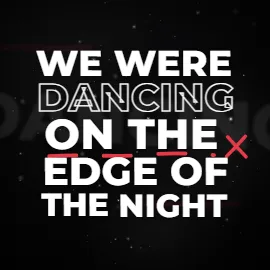
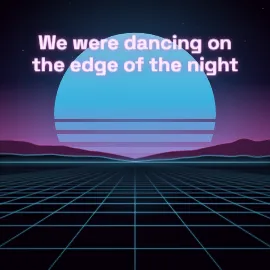
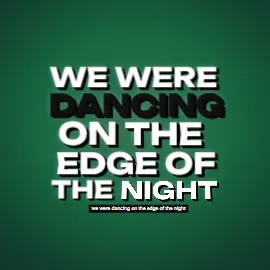
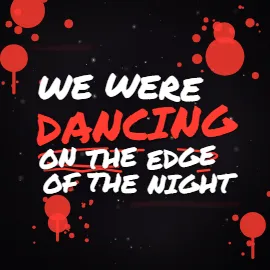
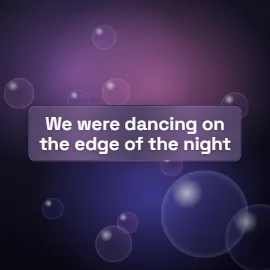
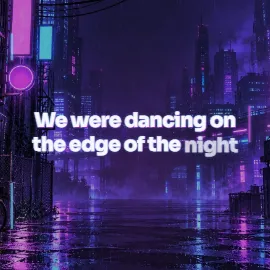
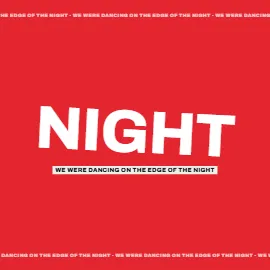
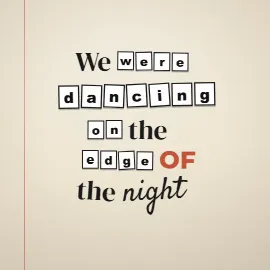
Whatever you pick, readability comes first. If you can't read a line on a phone in the time it's on screen, the style is too busy for this song.
Step 5: Pick a background
You have three main options:
- The style's built-in animated background. The quickest, and designed to keep text readable.
- Your cover art or a photo. Great for consistency with the release. Add a dark overlay or blur so the lyrics stay legible.
- A video loop, like a city at night or a landscape. It adds movement, but keep it subtle; it shouldn't compete with the words.
Step 6: Export the right format
Export 16:9 at 1080p or 4K for YouTube, and 9:16 for Shorts, Reels and TikTok. If you plan to post on short-video platforms, don't upload the whole song there: cut the hook or chorus into a 15–45 second clip. See lyric video sizes for every platform's specs.
On LyricFlow's Free plan you can export 4 full videos and 6 short clips a month in 1080p, with a small watermark. You can remove the watermark from a single project for $1.00, or get every Pro style and 4K for that project for $1.99. Pro ($7.99 a month) covers everything, in every project.
Step 7: Publish it well
A few small things make a lyric video easier to find and nicer to watch:
- Title:
Artist – Song (Lyric Video)or(Lyrics). That's what people type when they search. - Description: a line about the song, where to stream it, and the songwriting credits.
- Captions: upload the SRT file of your lyrics as a caption track. It helps accessibility and lets YouTube understand the words.
- Thumbnail: the song title in large type over your artwork reads well at small sizes.
- Shorts link: when you post a chorus clip as a Short, link it to the full lyric video.
Checklist before you hit publish
- The audio is the final master.
- Every line is spelled correctly, including names and slang.
- Timing has been checked on a phone, especially the first chorus.
- No line stays on screen during a long instrumental.
- The longest line is still readable in the vertical version.
- You have the rights to the song.