How to Choose Colors for Color-Coded Lyrics
Pick member colors that are easy to tell apart, readable on any background and friendly to color-blind viewers, with contrast rules and example palettes.
By the LyricFlow team·· 4 min read
In a color-coded lyrics video, the colors are the whole point. If viewers can't instantly tell one singer's color from another, or can't read a line because it's pale yellow on a white background, the video fails at its one job. Choosing colors is quick once you know what to check.
The three things a member color has to do
- Be distinct. It must not be confused with any other singer's color, even in a quick glance at a phone.
- Be readable. It must have enough contrast against the background to be read comfortably.
- Be recognizable. Fans should be able to connect it with the member, ideally because it matches the group's official or fandom color.
When these conflict, readability wins, then distinctness, then recognizability. A slightly adjusted member color is fine; an unreadable one is not.
Start with official colors, then adjust
Many groups have official member colors, or colors the fandom has used for years. Start there; fans will notice if a member's color changes from video to video.
Official colors are chosen for merchandise, not for text on a screen, so they often need tweaking:
- Two colors too close (for example, two shades of blue): keep the hue but make one lighter and one darker.
- A color too dark for a dark background (navy, deep purple): raise its lightness until it reads clearly.
- A color too light for a light background (pale yellow, mint, baby pink): darken it, or add a thin dark outline around the text.
Once you've adjusted a palette, save it and reuse it in every video for that group. Consistency across a channel is part of what makes color-coded videos easy to follow. In LyricFlow, Pro users can save a set of singers and their colors as a group and reuse it in any project.
Contrast: the rule that keeps lyrics readable
Contrast is the difference in lightness between the text and what's behind it. The web accessibility guidelines (WCAG) recommend a contrast ratio of at least 4.5:1 for normal text and 3:1 for large text. Lyrics in a video are usually large, so 3:1 is a reasonable minimum, but more is better because backgrounds move and vary.
A few practical rules:
- On dark backgrounds, use light, saturated colors: bright pink, sky blue, lime, gold, coral, lavender.
- On light backgrounds, use deeper colors: crimson, royal blue, emerald, purple, dark orange.
- On photos and video backgrounds, test against the brightest and the darkest moment, not just the first frame. A dark overlay or a soft text shadow fixes most problems.
A quick test: convert a screenshot to grayscale. If the lyrics are still easy to read, the contrast is fine.
Make it work for color-blind viewers
About 1 in 12 men and 1 in 200 women have some form of color vision deficiency, most often difficulty telling red from green. In a big fandom, that's a lot of viewers.
- Don't rely on red vs green alone. If two members are red and green, make one of them noticeably lighter or darker than the other.
- Vary lightness, not just hue. Colors that differ in lightness stay distinguishable for almost everyone, including in grayscale.
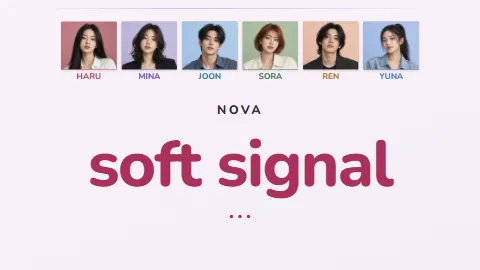
- Add a second cue. Name chips, member photos or a highlighted photo strip tell viewers who's singing without relying on color alone. That's one reason photo layouts are so popular.
Example palettes
These sets work on a dark background and stay distinct from each other. Use them as a starting point when a group has no official colors.
| Group size | Colors |
|---|---|
| Duet | #FF5FA2 pink, #4FC3FF sky blue |
| Trio | #FF5FA2 pink, #4FC3FF sky blue, #FFD23F gold |
| Four | pink, sky blue, gold, #7CF29A mint |
| Five | pink, sky blue, gold, mint, #B48CFF lavender |
| Six or more | add #FF8A3D orange, #FFFFFF white, #FF4D4D red, #3DDCC5 teal, keeping each new color away from its neighbors |
For larger groups (eight or more members), it gets hard to find colors that are all distinct. That's where photos and name chips matter most: viewers use the photo to identify the singer, and the color confirms it.
Duets and shared lines
When two or more singers share a line, show all their colors: a gradient across the text (a Pro display option in LyricFlow), or each name chip lit up at once. Avoid inventing a new color for the pair, because viewers will read it as a new person. Whole-group lines can use every member's color, or a neutral white if the group is large.
A five-minute color check
Before exporting, play the busiest section of the song and ask:
- Can I tell who's singing without reading the names?
- Is every line readable at phone size?
- Does any color disappear against the background at any point?
- Do any two colors look the same in grayscale?
If the answer to any of these is wrong, adjust the color now. It's much harder to fix after the video is published.